What Makes an Excellent SEO Blog?

When people talk about SEO blogs, their first thoughts are often keyword placement, backlink building, and title optimization. While these factors are important, blogs that consistently earn traffic and conversions in highly competitive environments are not written for search engines alone — they are written for users.
If users click into a post and find messy layouts, walls of dense text, and no clear focus, they will leave quickly. On the other hand, if a blog offers a clear, comfortable reading experience, users stay longer, share the content, and search engines naturally reward it with higher rankings.
So what truly makes an excellent SEO blog?
The core principle: User experience first, SEO optimization second.
Below, we break this down across multiple dimensions.
I. Reading Comfort: User Experience Comes First
1. Narrow Content Width — Avoid Wide “Horizontal Reading”
Research shows that the optimal reading width on screens is roughly 600–800px. Lines that are too wide force the eyes to move excessively left and right, causing fatigue. Lines that are too narrow feel cramped.
An excellent blog should therefore limit the main content width to maintain reading comfort.

2. Right-Side Table of Contents (ToC)
A table of contents is not just a navigation aid for users — it is also an SEO advantage:
- Users can jump directly to the section they need, reducing bounce rates.
- Search engines can better understand page structure through anchors and headings.
A clear hierarchy such as:
- H1: Main topic of the article
- H2: Major sections
- H3: Subsections
benefits both users and search engines.
3. Appropriate Font Size and Spacing
Recommended best practices:
- Body text size: 16–18px
- Line height: 1.6–1.8
- Paragraph spacing: Avoid large blocks of uninterrupted text
These details may seem minor, but they directly determine whether a reader continues scrolling.
II. Avoid the “Wall of Text”: Multimedia & Information Variety
An excellent blog should never be a solid block of text. Dense copy creates pressure and fatigue.
1. Images
- Diagrams: Explain complex concepts visually
- Charts: Present data and conclusions more intuitively
- Flowcharts: Clarify processes and steps
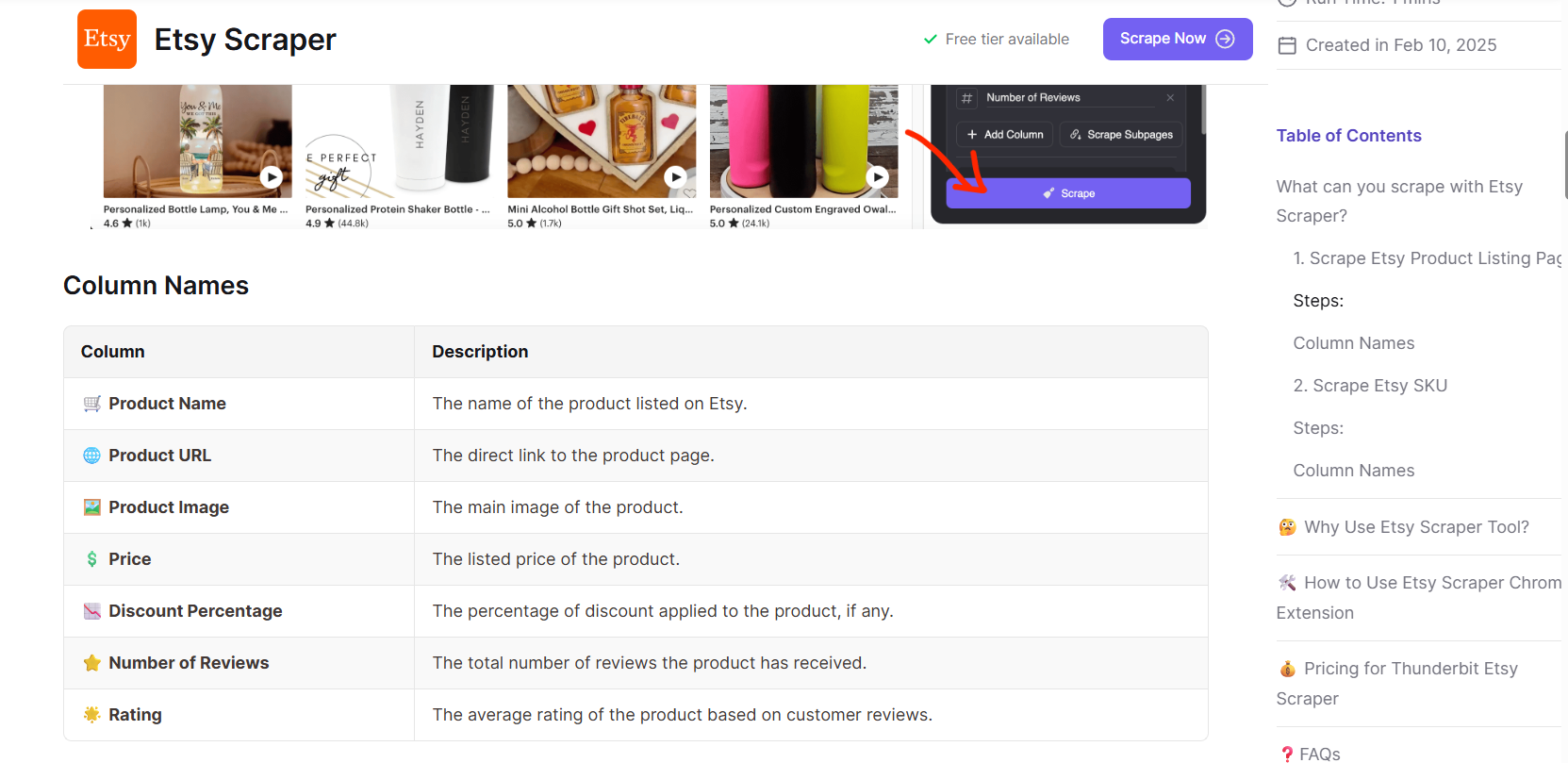
2. Tables
Tables are ideal for comparisons. For example:
| Method | Pros | Cons |
|---|---|---|
| SEO Optimization | Long-term, stable traffic | Slow to show results |
| SEM Advertising | Fast traffic acquisition | High cost |
Tables make key differences easier to scan than long paragraphs.
3. Bullet Points
Bullet lists are excellent for:
- Summarizing key takeaways
- Step-by-step guides
- Pros and cons comparisons
They help readers quickly identify what matters most.
4. Videos / GIFs (Optional)
For tutorials or complex topics, short videos or animated GIFs are often more effective than text alone and can significantly increase time on page.
III. Information Structure: Clear Hierarchy & Logical Flow
1. Clear Heading Structure
An excellent SEO blog should read like a well-organized mini e-book:
- H1: Article topic
- H2: Major sections
- H3: Subsections
- Section summaries: Add 1–2 sentence takeaways at the end of each section
- FAQ sections where appropriate

2. Moderate Paragraph Length
- Keep paragraphs to 3–5 lines
- Use white space to give the page room to breathe
3. Highlight Key Sentences
Use bold text, callout boxes, or background highlights to ensure important points stand out even during quick scanning.
IV. Where SEO Meets User Experience
Many people think SEO is just about keyword density. In reality, an excellent SEO blog should:
1. Integrate Keywords Naturally
Keywords should appear naturally in:
- Titles (H1, H2)
- Opening paragraphs
- Image ALT attributes
- Meta descriptions
Avoid keyword stuffing — it hurts both user experience and search rankings.
V. Case Comparison
❌ Poor SEO Blog
- Extremely wide layout (content width over 1200px)
- Dense blocks of uninterrupted text
- No table of contents; users must scroll line by line
- No images, tables, or lists
- Paragraphs up to 15 lines long
✅ Excellent SEO Blog
- Comfortable content width with a right-side ToC
- Images or tables every 2–3 paragraphs
- Bullet points summarizing key ideas
- Highlighted key information
- Diagrams or videos supporting explanations
- Mobile-friendly font sizes
The latter not only encourages users to read through the entire article but also increases sharing and bookmarking.
VI. Conclusion
A truly excellent SEO blog is not written for search engines — it is written for users.
Key Takeaways:
- User experience first: Narrow layout, table of contents, readable typography
- Content variety: Images, tables, bullet points, videos
- Clear structure: Logical hierarchy, concise paragraphs
- SEO fundamentals: Natural keywords, fast loading, mobile optimization
As long as you consistently follow the principle of serving users first and search engines second, your blog will not only rank higher but will also become a trusted content resource over time.