How to prepare product Info to gerenerate great landing pages?

Summary:
First, you need to prepare and gather all the key information:
Make sure you include:
- All the key features and corresponding images
- Your first-hand experience of how you like using it.
- Case studies, or all the key use cases
Second, you can put all the product information into LayerArc to generate landing pages based off the information.
Here is an example of the key product information you should put into LayerArc:
LayerArc is an SEO & GEO growth engine. It takes your company and product information, generates hundreds of optimized web pages, and connects them to your own domain through a reverse proxy — so your site shows up wherever people (or AI assistants) are searching.
What LayerArc actually is
LayerArc is a product built by CapGo AI, marketed as an SEO & GEO ("Generative Engine Optimization") growth engine built specifically for AI and SaaS companies. Its core idea: most companies are sitting on valuable data — product catalogs, user reviews, AI-generated outputs, feature lists, case studies — that never gets turned into content. LayerArc takes that raw data and turns it into hundreds to thousands of indexed web pages designed to do two things at once: rank in traditional Google search, and get cited directly inside AI answer engines like ChatGPT, Perplexity, and Google's AI Overviews.
The pitch is that regular AI writing tools produce generic text with no real signal behind it, while LayerArc grounds every generated page in a company's actual first-party data, which is what both Google's ranking algorithms and AI citation systems reportedly reward. The onboarding is lightweight: a company supplies its basic information plus whatever data it has on hand (even something as simple as a spreadsheet), and LayerArc's pipeline handles keyword research, search-intent mapping, page-format planning, multilingual output, and publishing — with a human reviewing pages before anything goes live.
Once pages are generated, they're published under the company's own domain rather than living on LayerArc's site — typically through a short domain-connection step (roughly a 20-minute setup) so the new pages read to Google as part of the company's existing website. CapGo AI cites companies like Energent, Math-GPT Pro, BlueFocus, FinalRound AI, and Thunderbit as users, with reported traffic gains in the 3x–10x range within a few months of onboarding. The sections below walk through what that workflow actually looks like inside the product.
Use case
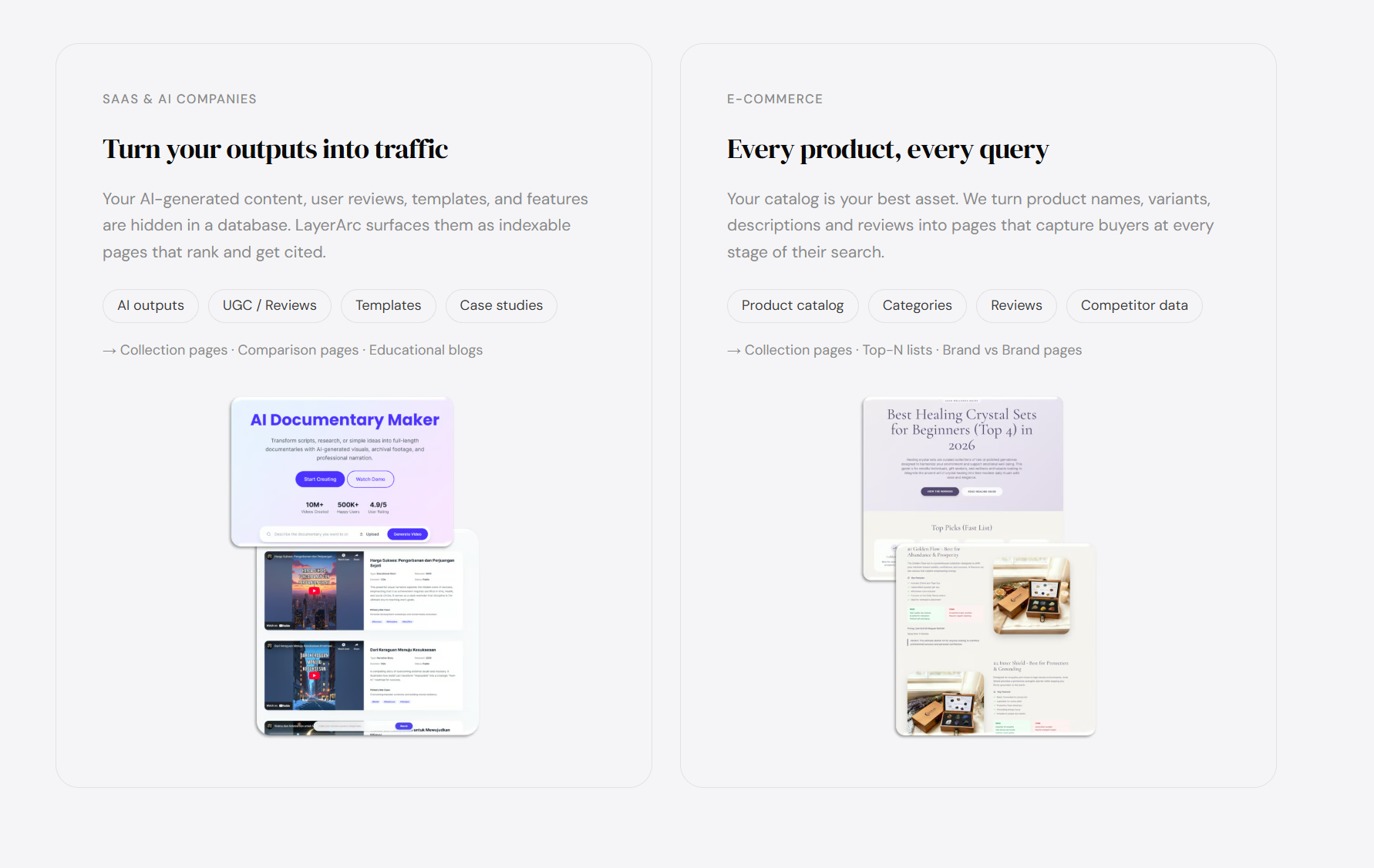
LayerArc is built around one specific problem: a company already has valuable, unique data sitting in a database — but almost none of it has been turned into content that search engines or AI models can find. That framing means the tool isn't really a general-purpose content generator; it's targeted squarely at businesses whose value comes from data that's too large, too structured, or changes too often for a human content team to keep up with. In practice, that lands on two main groups: AI/SaaS companies and e-commerce brands, plus a handful of adjacent use cases that follow the same underlying logic.
AI & SaaS companies — turning product usage into pages
The first, and most emphasized, group is AI and SaaS companies — the kind of business that generates enormous amounts of AI outputs, user-generated content, reviews, and feature/template data that just sits unused. Think an AI image or video tool whose users generate thousands of creations a day, or a SaaS product with dozens of features and integrations, each of which represents a distinct thing someone might search for. LayerArc's pitch to this group is that their own product usage is already the content: instead of writing generic blog posts, it turns those AI outputs, UGC, templates, and case studies into collection pages, comparison pages, and educational content that target the exact long-tail queries real users type — "AI image tool for kids," "best AI video generator for dancers," and so on — plus the comparison-style content ("Tool A vs Tool B") that AI answer engines specifically favor when citing a source.
E-commerce brands — every product, every query
The second core group is e-commerce brands, where the product catalog itself becomes the raw material. Every product name, variant, description, category, and review is a potential page, and LayerArc's job is to make sure every stage of a buyer's search journey has a matching page — from broad category pages down to specific "Brand vs Brand" and top-N list comparisons that capture people who are actively comparing options before they buy. For a catalog with thousands of SKUs, this is the same page-volume problem as the SaaS case, just with products instead of features.
Adjacent use cases — citations, global reach, and UGC
Beyond those two headline categories, the same mechanics extend naturally to a few more specific situations that show up directly in the product itself: companies that want to win AI citations specifically (feeding in competitor research and reviews to produce comparison/listicle content built to be quoted by ChatGPT or Perplexity), companies expanding into new markets (translating and localizing existing pages into new languages to capture global search traffic), and companies that receive a constant stream of user-generated content — reviews, submissions, community posts — that would otherwise never become a web page at all.
The common thread — scale and freshness, not one-off content
What ties all of these together is scale and freshness rather than one-off content quality: LayerArc is aimed at teams that don't have — and don't want to hire — a large content or SEO department, but do have real, defensible data that a competitor can't simply copy. A small team can use it to output roughly what a much larger content team would produce manually, which is the specific gap the product is designed to fill.
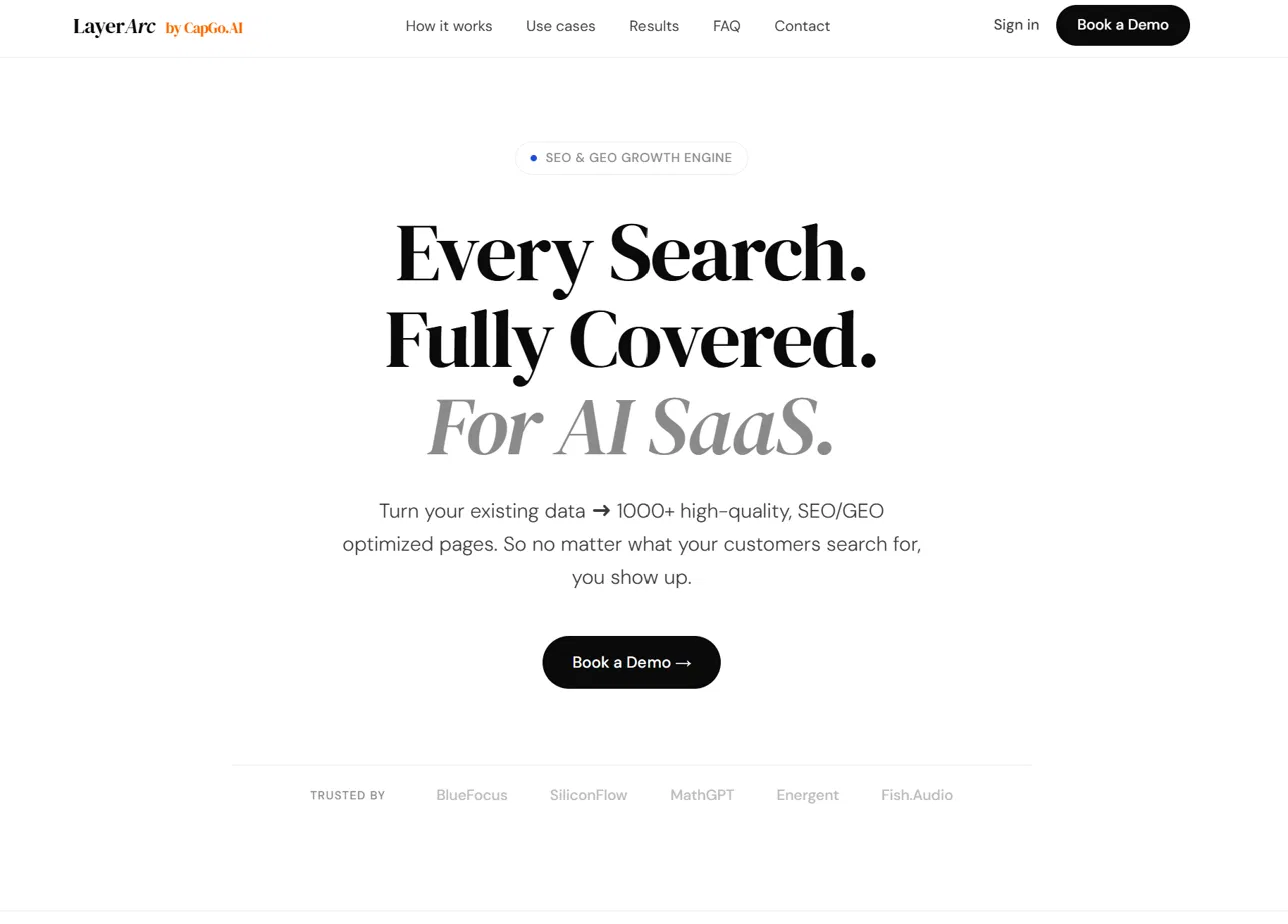
Start from the landing page
This is the LayerArc marketing homepage. It positions the product simply: turn your existing data into 1,000+ high-quality, SEO/GEO optimized pages, so no matter what your customers search for, you show up. This is the entry point before signing in and creating a project.
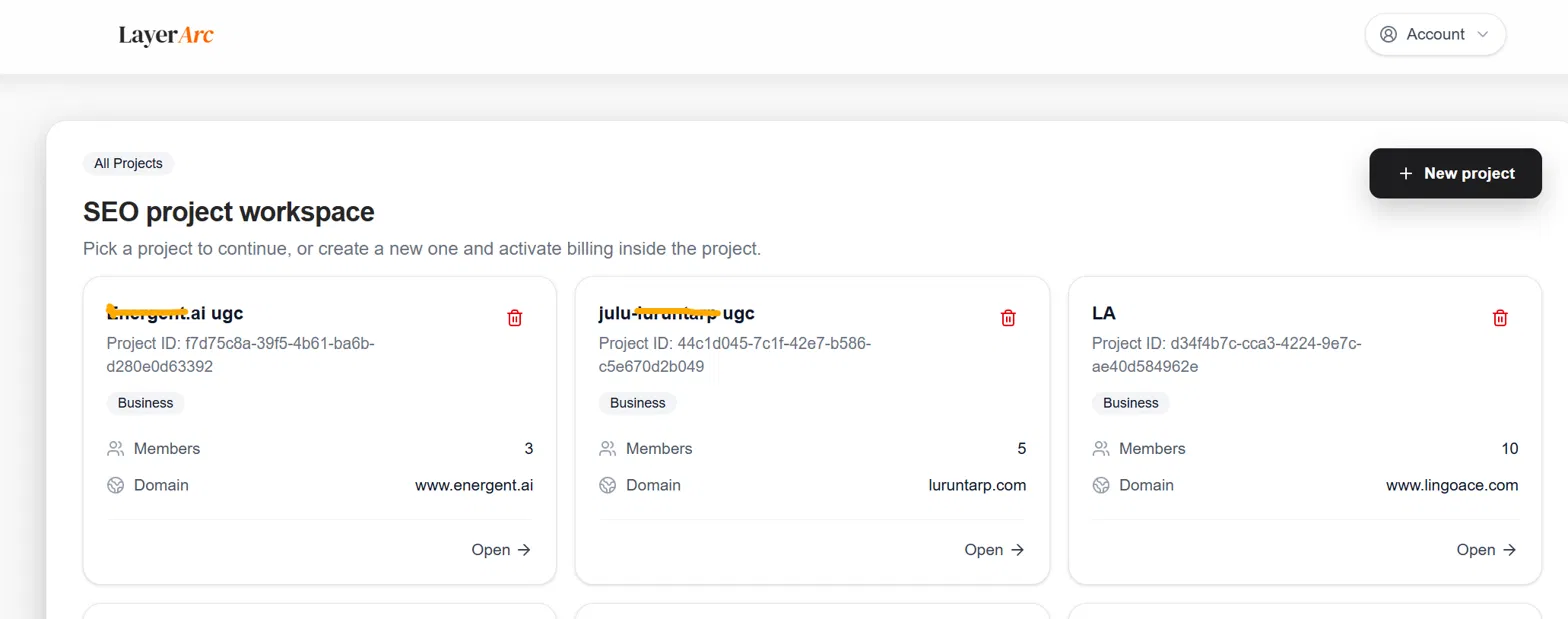
Pick or create a project
Once inside the app, you land on the SEO project workspace. Each project maps to one domain/brand (for example a company's UGC or marketing site). You can open an existing project or start a new one, and each shows its member count and connected domain at a glance.
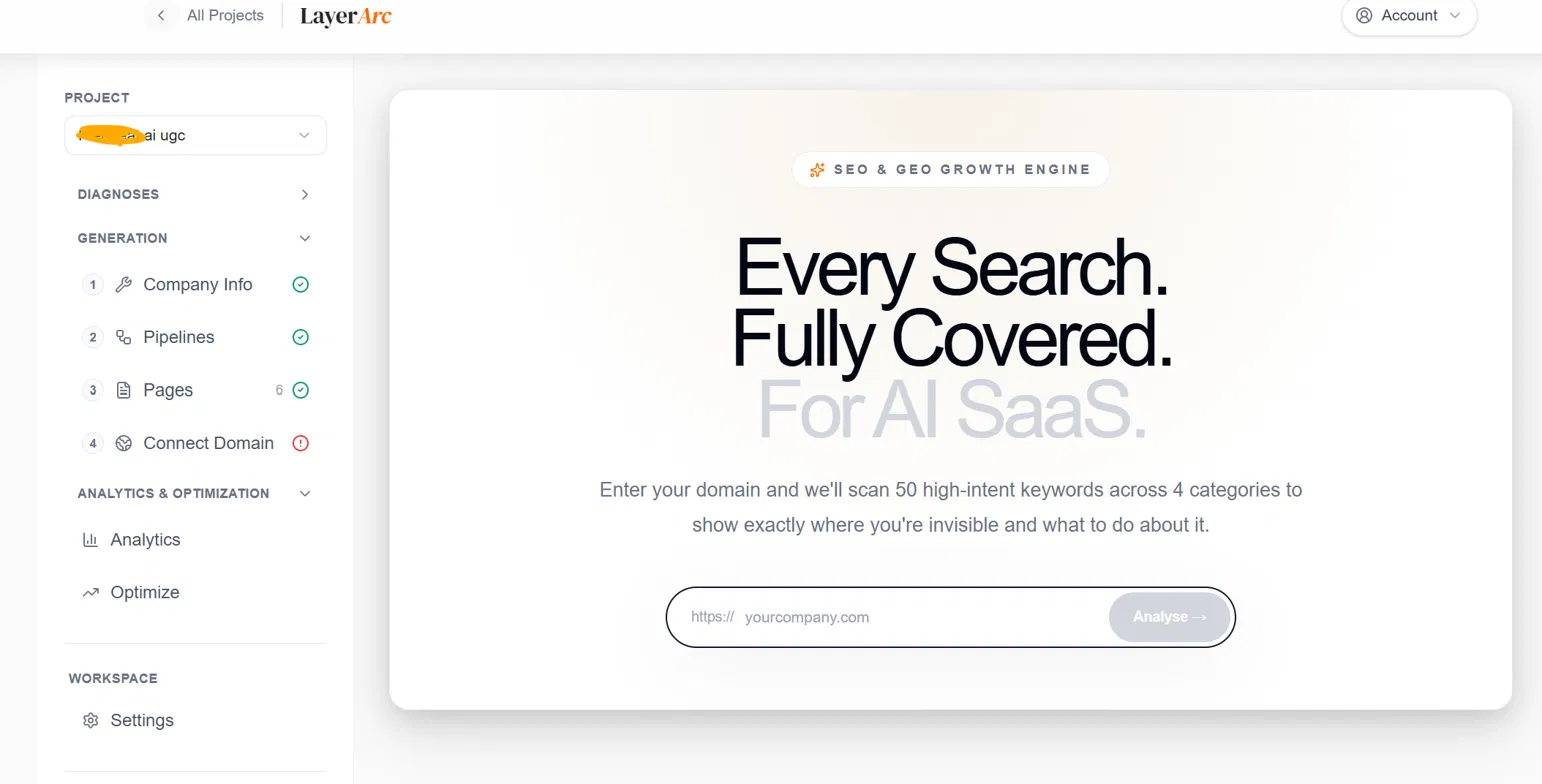
Inside a project: the four-step setup
Opening a project reveals the core workflow in the left sidebar: Company Info → Pipelines → Pages → Connect Domain. Before generating pages, you can enter your domain and let LayerArc scan high-intent keywords across categories to show exactly where you're invisible in search — and what to do about it.
Step 1 — Auto-fill company information
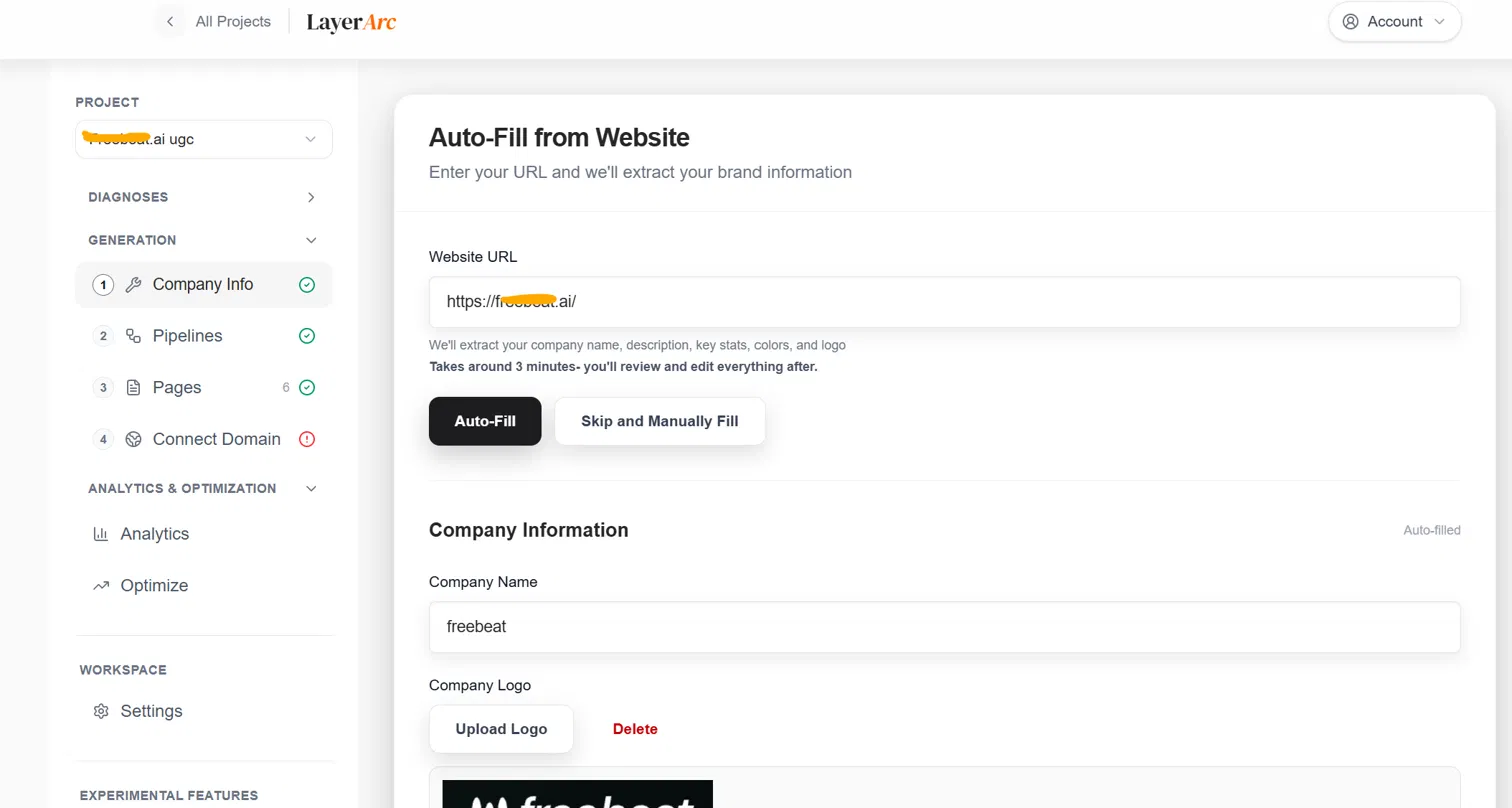
Instead of filling out a form manually, you paste in your website URL and LayerArc extracts your company name, description, key stats, brand colors, and logo automatically. This takes a few minutes, and everything is fully editable afterward.
Step 2 — Choose a pipeline goal
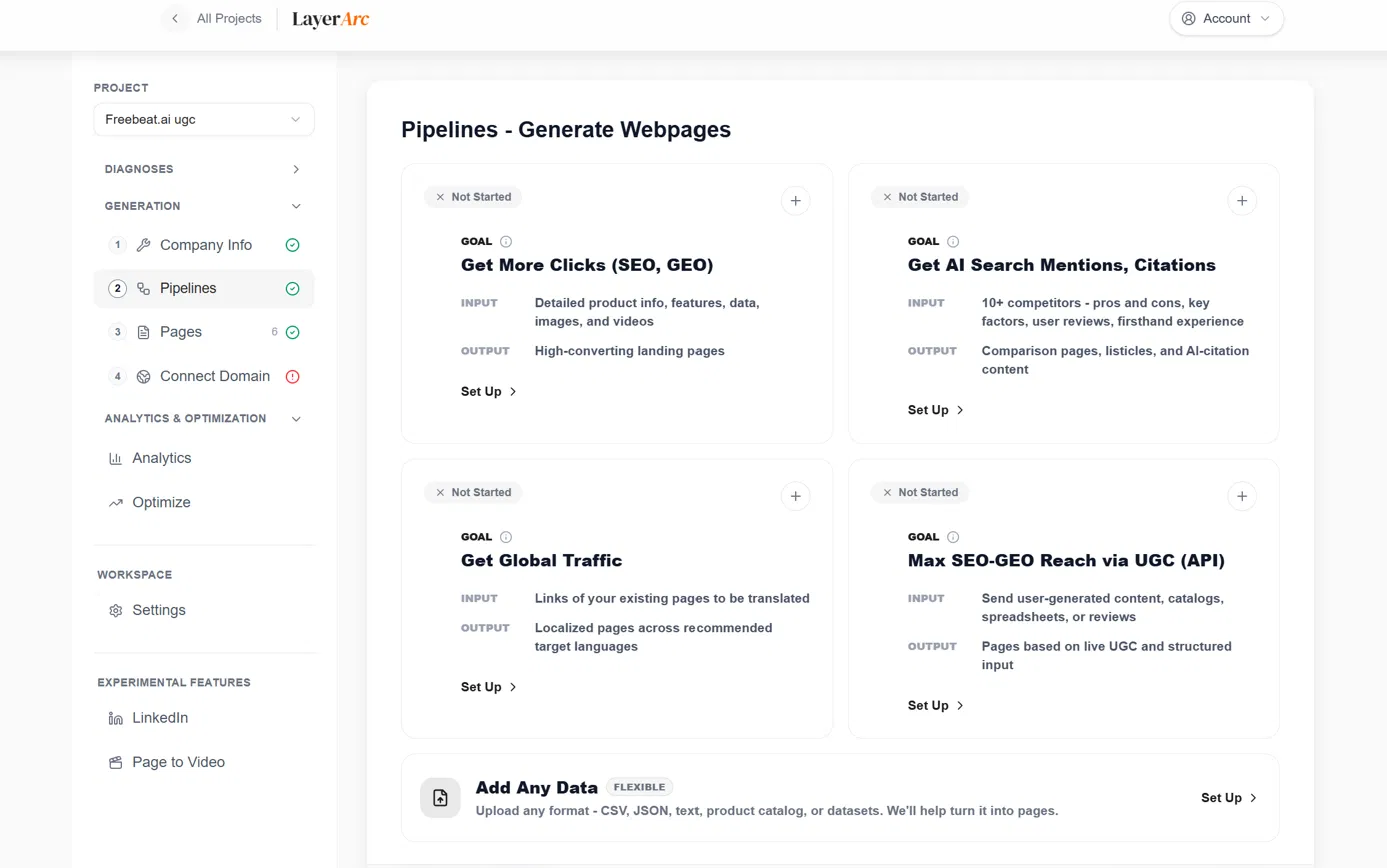
Pipelines define why you're generating pages. Each one has a clear input and output:
• Get More Clicks (SEO, GEO): feed in product info, features, and media → get high-converting landing pages.
• Get AI Search Mentions, Citations: feed in competitor pros/cons and reviews → get comparison pages and listicles built to be cited by AI search.
• Get Global Traffic: feed in existing page links → get localized pages in target languages.
• Max SEO-GEO Reach via UGC (API): feed in user-generated content, catalogs, or reviews → get pages built from live UGC.
Feed in your input data
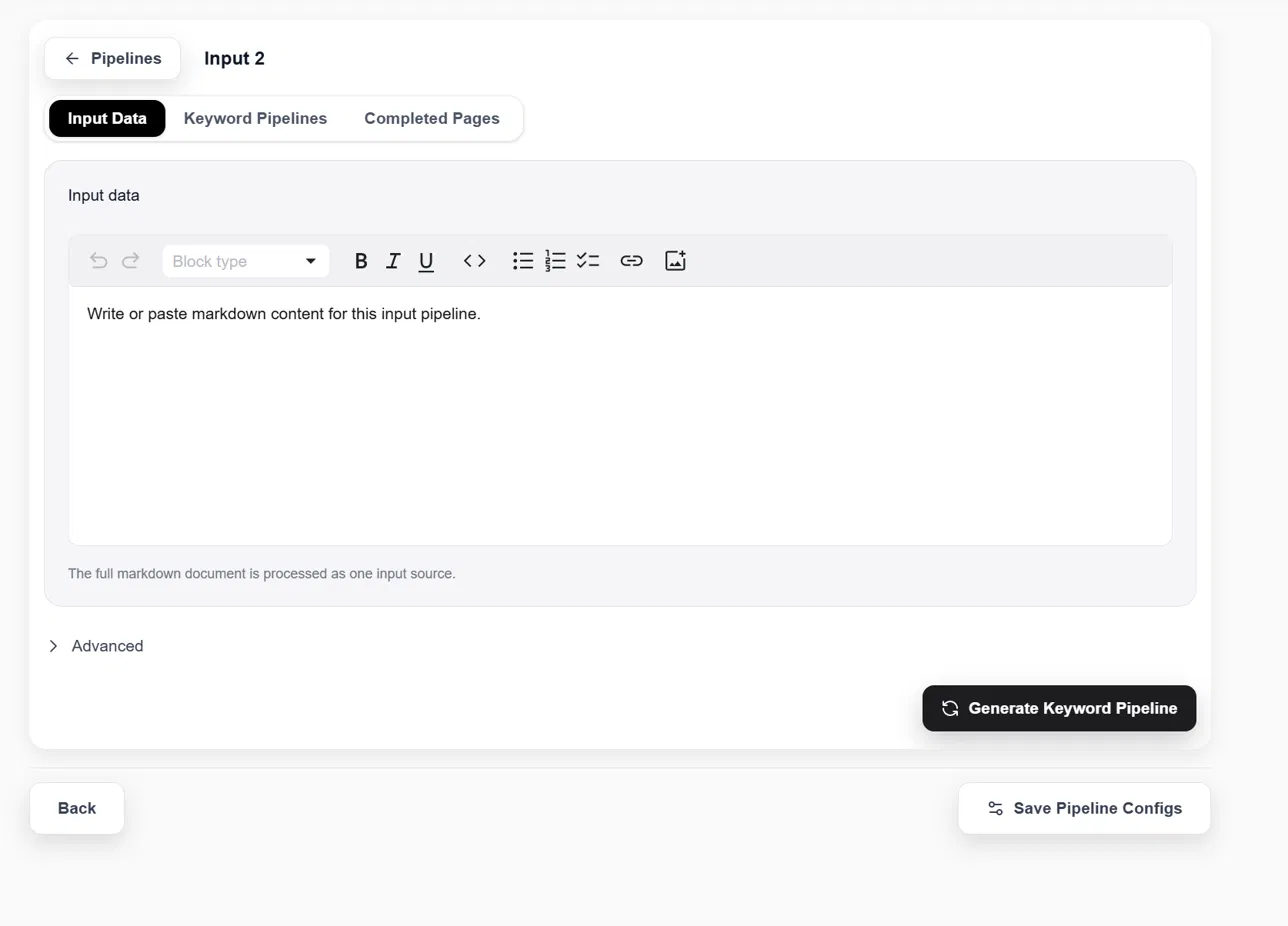
For any pipeline, you write or paste the source content — product details, competitor research, reviews, whatever the pipeline calls for — directly into a markdown editor. The full document is treated as one input source for that pipeline.
Generate the keyword pipeline
With input data in place, clicking Generate Keyword Pipeline turns that raw information into a structured set of target keywords — the foundation each page will be built around — before saving the pipeline configuration.
Step 3 — Pages get generated automatically
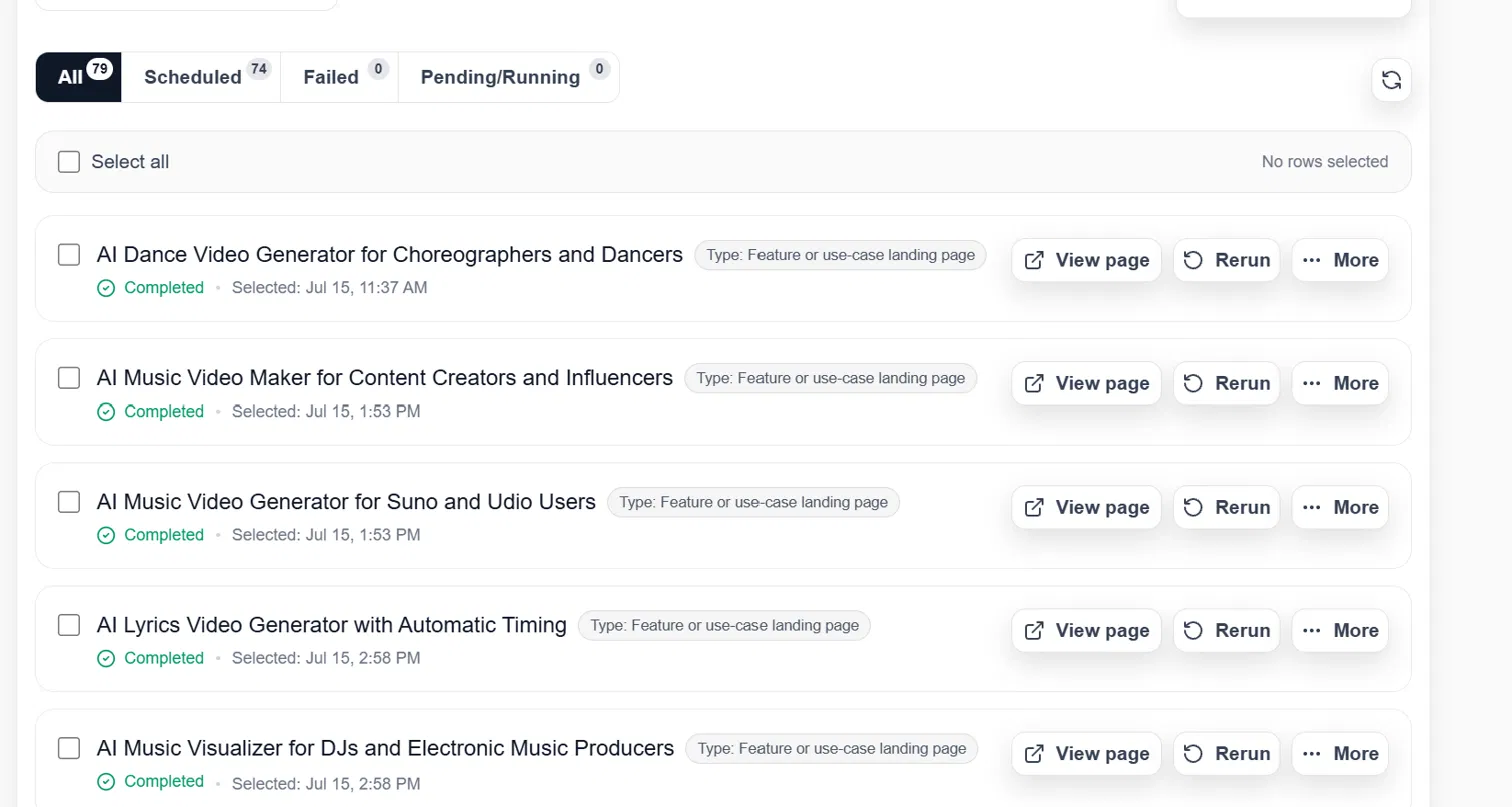
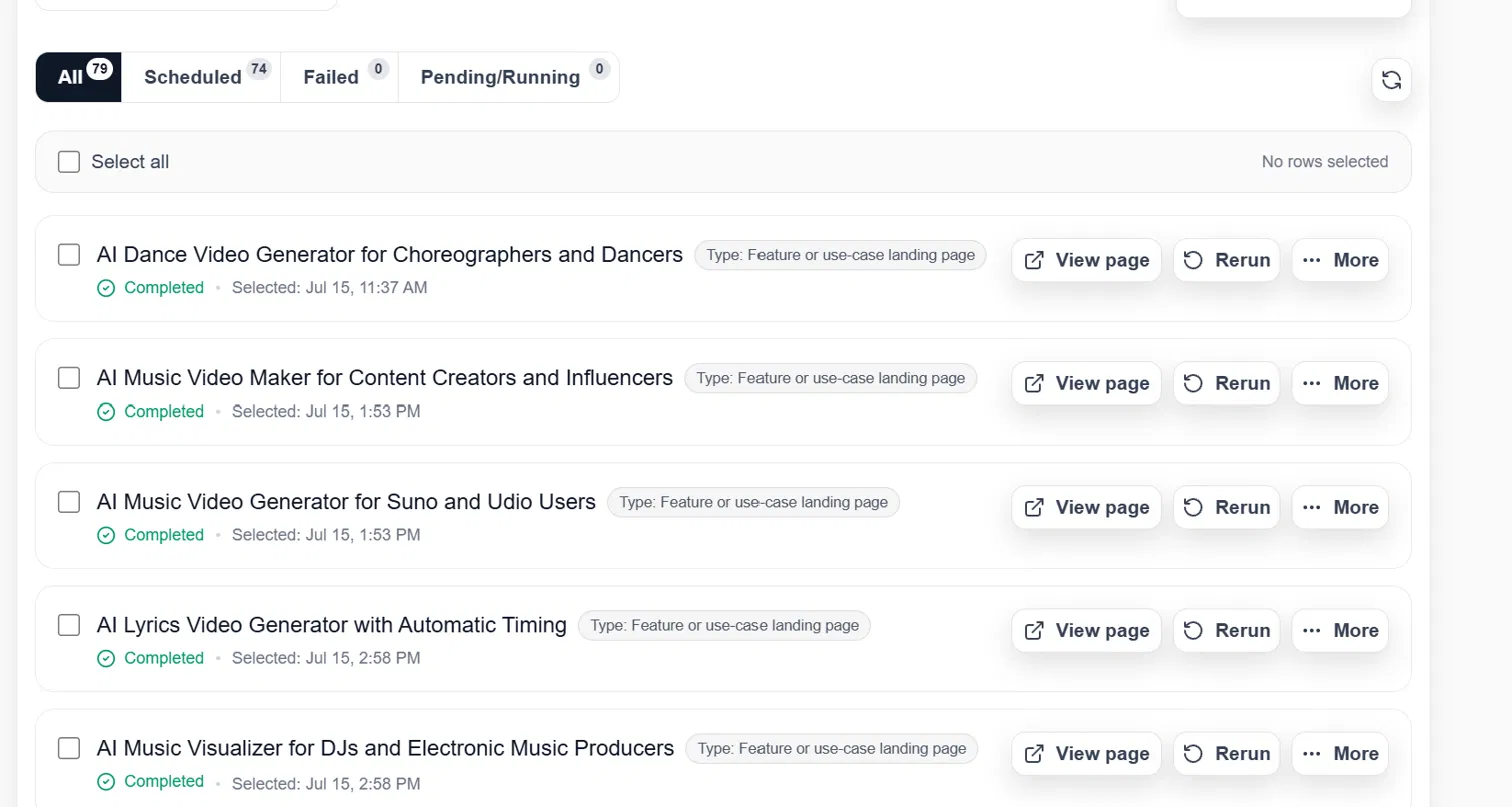
From there, LayerArc generates the actual pages — landing pages, comparison pages, feature pages, and more — each one scheduled, tracked, and completed automatically. You can view, rerun, or manage every generated page from a single dashboard.
Step 4 — Connect your domain & optimize
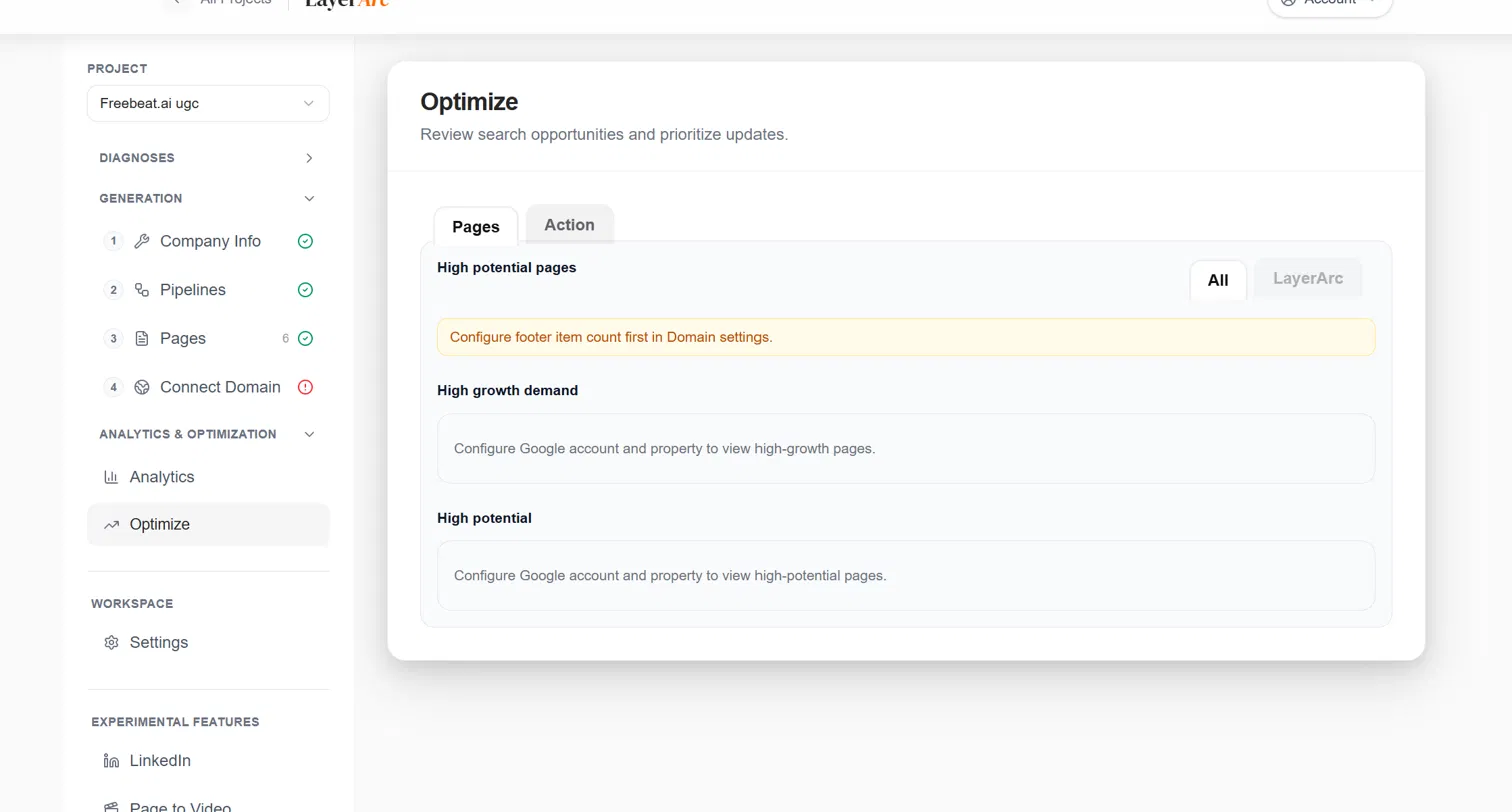
Once pages exist, the Connect Domain step links them to your own domain via a reverse proxy, so the generated pages live on your site rather than LayerArc's. The Optimize tab then surfaces high-potential pages, high-growth-demand pages, and opportunities to prioritize, once your domain and Google account/property are connected.
Ongoing workspace & experimental features
Beyond the core workflow, each project's sidebar gives you workspace Settings and access to experimental features — LinkedIn, X, and Page-to-Video — for pushing the same underlying company and product data into social content and video, covered in detail below.
Beyond pages: turning the same data into social content
Generating pages is only half the story. Every page LayerArc builds is already backed by structured, verified company and product data — competitor research, feature breakdowns, user reviews, UGC. That same underlying data can be repurposed into distribution content, instead of living only as a web page waiting to be crawled. This is where the LinkedIn, Page to Video, and X features come in — they sit under "Experimental Features" in the sidebar, and they exist to push the same SEO/GEO-grade content out to the platforms where people and AI models alike are already paying attention.
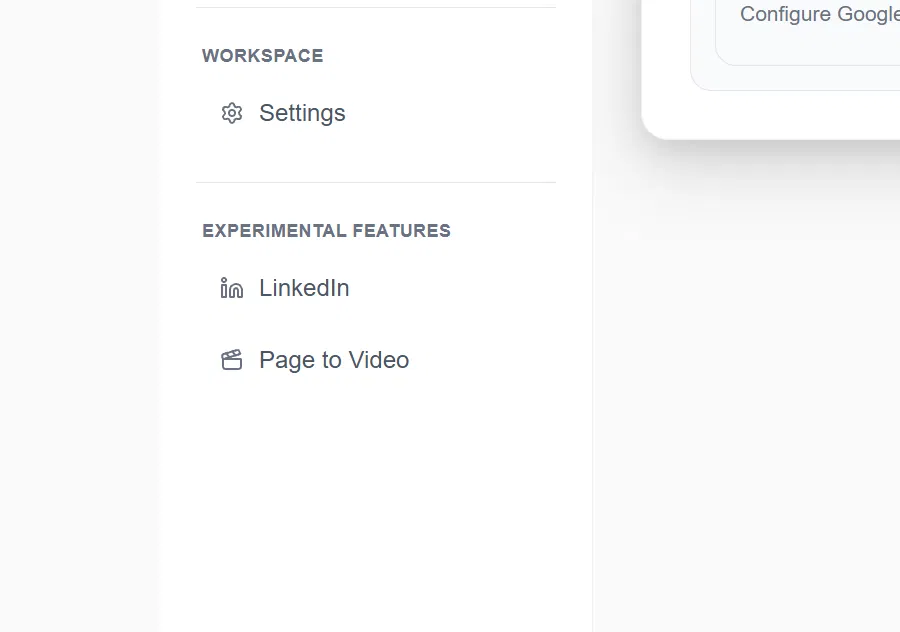
The Experimental Features section in a project's sidebar, where LinkedIn and Page to Video generation live.
LinkedIn: high-quality posts from real company data
Instead of writing LinkedIn posts from scratch, this feature takes the company info, product details, and competitor/UGC data already gathered for page generation and turns it into ready-to-publish LinkedIn posts. Because the source material is the same verified, first-party data behind the pages — not generic AI filler — the posts read like they were written by someone who actually knows the product: real feature callouts, real comparisons, real user language pulled from reviews and UGC, rather than the templated "5 tips" tone that generic AI writers default to. Each post can point back to the freshly generated page it's built from, so the distribution content and the indexed page reinforce each other.
X: the same engine, tuned for a faster feed
The same data pipeline can produce X (formerly Twitter) content — shorter, punchier posts and threads suited to X's pace and format, rather than a simple re-post of the LinkedIn copy. Comparison call-outs, single-stat hooks, and "here's what we found researching competitors" threads are a natural fit here, since the underlying pipeline already has that competitor and feature data structured and ready to use.
Page to Video: turning a generated page into a video
Page to Video takes a page that's already been generated — a landing page, a comparison page, a feature page — and converts it into a short, polished video: pulling out the key claims, screenshots, and structure of the page and turning them into a scripted, visual walkthrough. Because the page itself was already built around a specific keyword and search intent, the resulting video inherits that same targeting, making it suitable to post natively on LinkedIn or X, or embed back on the page itself to increase time-on-page (a signal both Google and GEO/AI-citation systems weigh).
Put together, these three features mean the same company and product data that powers LayerArc's SEO/GEO pages can also generate high-quality LinkedIn posts, X posts, and videos — all built from the same verified source data, and all pointed at the same goal: showing up wherever your customers are searching, browsing, or scrolling, whether that's Google, an AI assistant, or their feed.