Why Did Canva Get So Much Traffic (300mm)? A Case Study of Programmatic SEO

CapGo.AI has been working on programmatic SEO for software and DTC companies - here is our analysis of Canva:
Canva has exploded in popularity over the last few years (300mm visitors per month), becoming the go-to design tool for everyone from students to marketers to small business owners. But beyond a great product, there's something even more strategic driving Canva’s insane growth: programmatic SEO.
You might’ve stumbled across Canva’s website while searching for things like "Instagram post template," "Facebook banner size," or "YouTube thumbnail maker." That’s no accident. Canva has built a content machine, and it’s powered by one of the most effective growth strategies in digital marketing today.
Let’s break it down.
What is Programmatic SEO?
Programmatic SEO is the process of creating hundreds or even thousands of unique, highly-targeted landing pages using a systematic, often automated approach. It’s especially powerful for websites that offer templated, searchable, or categorized content—think travel sites, marketplaces, and design platforms like Canva.
Here’s a simple example:
If you offer resume templates, instead of writing one article about resumes, you can create individual pages for:
- “Free teacher resume template”
- “Modern resume template for graphic designers”
- “ATS-friendly resume for marketing professionals”
These pages follow a common structure, but target long-tail keywords—the specific, lower-competition searches users are actually typing into Google.
How Canva Uses Programmatic SEO
Canva’s library is massive. They offer templates for nearly every use case you can think of—social media, business cards, invoices, planners, certificates, menus, you name it.
Instead of manually creating content for each of these templates, Canva has built out thousands of landing pages, each tailored to a very specific keyword. And it works because:
- They follow a consistent page template (design preview, keyword-rich description, user-friendly interface).
- The content is dynamic—pulled from a structured database of templates.
- They rank for millions of long-tail keywords related to design needs.
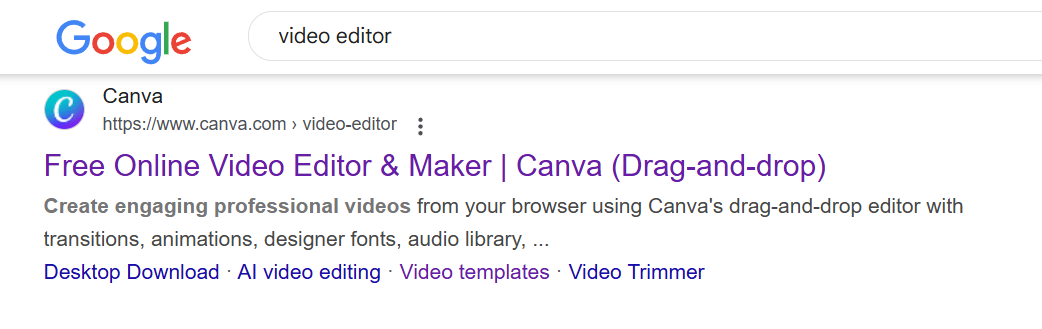
If you Google terms like “birthday invitation template” or “invoice design,” there’s a good chance a Canva page is in the top 3 results.
- Birthday card

- invoice design
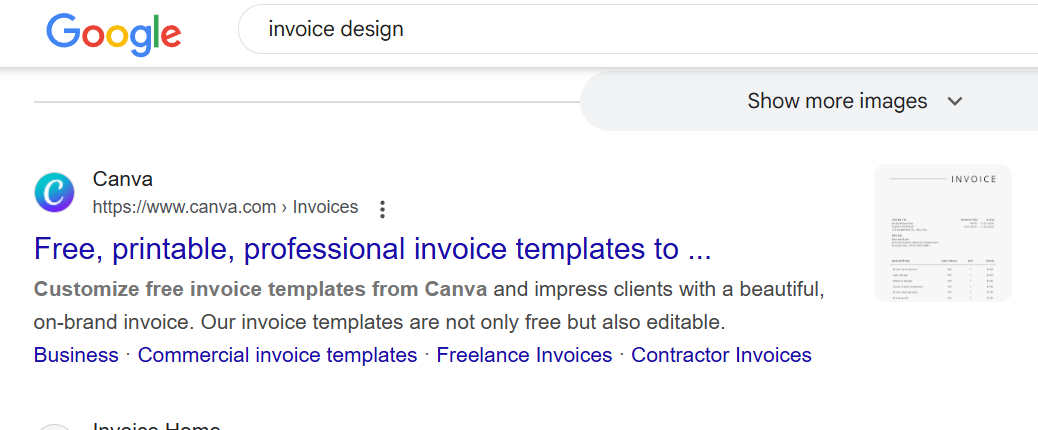
- video editor
The Effects: Massive Organic Growth
So what’s the impact of all this?
- Millions of monthly visitors: Canva dominates Google SERPs in the design space. Not just on broad terms, but on niche, intent-driven keywords that actually lead to conversions.
- High-intent traffic: Visitors landing on “real estate flyer template” are probably looking to create one immediately. That’s traffic with commercial value.
- Low customer acquisition costs: Once these pages are built and indexed, they generate passive traffic. This makes Canva’s user acquisition incredibly cost-efficient.
Basically, programmatic SEO turned Canva’s product catalog into an SEO moat.
What You Can Learn from Canva
You don’t have to be Canva to use programmatic SEO. If you have structured content—products, services, listings, templates, locations—you can do the same.
Key steps:
- Identify keyword patterns and groupings.
- Design a scalable page template.
- Build pages dynamically using a CMS or custom solution.
- Optimize for UX and SEO (meta tags, headings, internal links).
- Monitor performance and refine based on data.
It’s not about gaming the system. It’s about creating useful, searchable content at scale.
Final Thoughts
Canva didn’t just grow because it’s a great design tool (although it is). It grew because it mastered the art of showing up exactly where users are searching. That’s the power of programmatic SEO—and it's one of the most underrated growth hacks on the internet.
Want to drive serious organic traffic? Think like Canva